Guide
Protect your content and reinforce branding with logo overlays.
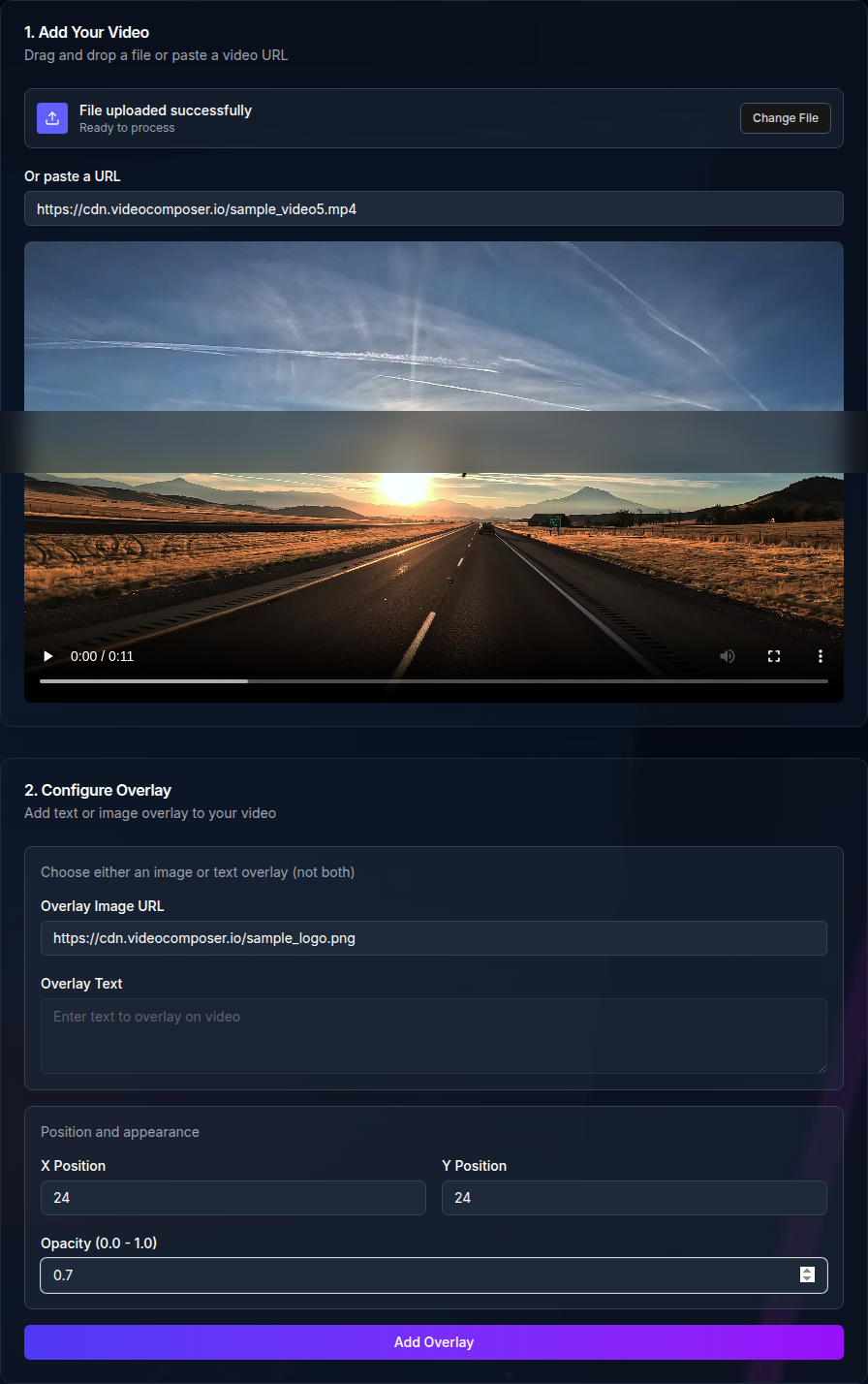
Use a transparent PNG or a clean logo image for the best results. Semi-transparent watermarks help keep the content readable while still showing branding.
High-resolution logos scale better across different video sizes. If your logo is too small, it can look pixelated in the output.
The overlay tool supports either a logo or text. You can set x and y coordinates and adjust opacity to match your layout needs. Use consistent placement across videos for a professional look.
Keep the watermark inside safe margins so it stays visible across different players and aspect ratios.
Run a short test on a small clip first. This helps you confirm placement and opacity before processing longer videos.
If the watermark is too strong, lower the opacity. If it is hard to see, increase contrast or move it to a darker corner.
Use the same position, size, and opacity across a series to keep branding consistent. This helps viewers recognize your content quickly.
If you publish in multiple aspect ratios, choose a safe area that stays visible in both landscape and portrait layouts.
A simple rule is to keep the logo inside the inner 80 percent of the frame so it does not get cropped on different players.
If the watermark looks blurry, try a higher resolution logo. If it is misaligned, adjust x and y values in small increments.
If you need the watermark only on part of the video, split the clip into segments, watermark the needed segments, and merge them back together.
The overlay tool accepts MP4, WebM, MOV, and AVI inputs and outputs MP4. For other formats, convert to MP4 before watermarking.
Anonymous usage is rate limited. Authenticated usage depends on your account credits.
If you watermark many files, use a naming system so you can identify versions easily. This helps when sharing draft vs final outputs.
Store the original and the watermarked version separately in your own storage so you can reprocess later if needed.
Use this checklist to confirm your watermark will appear correctly.
Logo watermarks are useful for pre-release reviews, social posts, or partner sharing where you want clear attribution.
You can also watermark internal training videos to make the source obvious.
Download the watermarked MP4 and store it alongside the original. If you need a different format or size, convert the output afterward.
Keep your logo URL stable so future jobs can reuse the same asset without changes.
For batch workflows, use the API to apply the same watermark settings across multiple files. Submit jobs programmatically and retrieve outputs by job ID.
Free video watermark maker — add a logo or text watermark, control placement and transparency, and export instantly.
Use POST /video/overlay with overlay_url, x, y, and opacity.